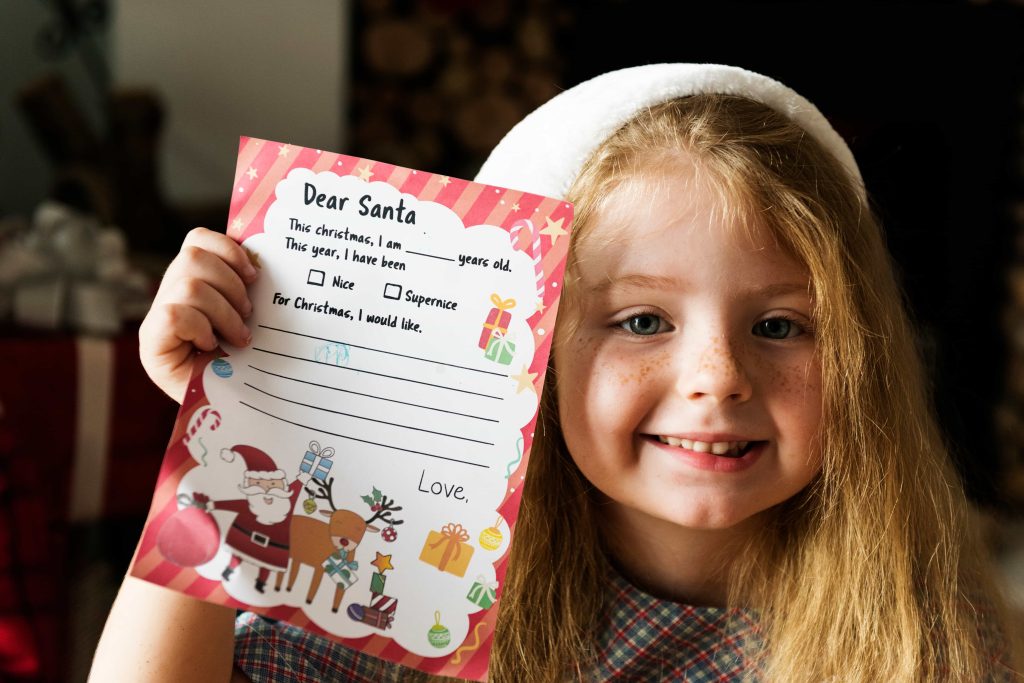




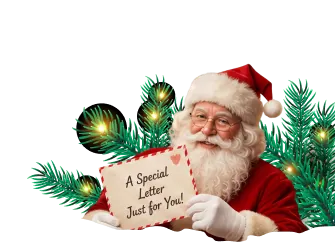
An email letter from Santa is useful when postal timing is no longer practical. It removes the physical-mail delay and gives the parent control over when the message appears.
Speed does not create the experience by itself. A Santa letter left in an inbox feels like an ordinary digital message. The parent still needs to decide who receives the email, how the child discovers it, and whether the message will be printed or shown on a screen.
An Email Letter Solves Delivery, Not Presentation
The strongest use of email is parent delivery. The message arrives privately in the adult’s inbox, allowing the adult to prepare the reveal without exposing ordering details or breaking the Santa story.
From there, the parent can:
- Print the letter and place it in an envelope
- Leave it beside a stocking
- Add it to a Christmas Eve box
- Read it aloud as a message sent through the “North Pole network”
- Arrange for a grandparent to present it
- Save a copy with other childhood keepsakes
Email is the transport method. The physical or dramatic reveal is a separate decision.
Email, PDF, and Mailed Letters Are Not the Same Thing
These formats frequently overlap, but they answer different questions.
| Format | Main strength | Main weakness |
| Email delivery | Fast parent access | Can feel ordinary if shown directly from an inbox |
| Printable file | Control over paper, envelope, and timing | Requires a printer and setup |
| Printed-and-mailed letter | Arrives as physical mail | Requires ordering and postal lead time |
A PDF controls the printable document itself, including its layout and print quality. Email controls how the letter reaches the parent and how quickly they can prepare the reveal.
Send It to the Parent, Not Directly to the Child
A child’s email account creates avoidable problems. The message could arrive at the wrong moment, expose a receipt, display the sender’s technical address, or become mixed with unrelated notifications.
Use the parent or caregiver’s inbox whenever possible. Before opening the message with the child, check:
- The visible sender name
- The subject line
- Any order information
- The attached filename
- Footer text
- Links or tracking information
- Whether the message displays correctly on the chosen device
If the email contains commercial details, print only the letter portion.
Turn the Email Into a Physical Discovery
A basic envelope can remove most of the digital feel.
Print the letter, fold it cleanly, and address the envelope to the child. Place it somewhere that makes sense within the family’s tradition. A stocking, breakfast place setting, bedside table, or Christmas Eve box works better than handing over a loose printer page.
The goal is not to pretend the email itself came through the chimney. The goal is to use fast delivery behind the scenes while giving the child a deliberate moment in front of the scenes.
Personalization Has to Survive the Faster Format
An email letter should not become generic simply because it is urgent.
Include:
- The child’s preferred name
- One meaningful accomplishment
- A favorite activity
- One relationship detail
- A carefully phrased wish
- A small North Pole reference
The strongest detail is usually not the biggest achievement. It is something recognizable: finally riding a bicycle, helping a sibling find a lost toy, practicing a song, or becoming braver at school.
Santa’s Magical Kingdom’s letter form includes fields for interests, proud moments, behavior, siblings or friends, wishes, and an optional surprise message. Its listed delivery choices include email and printed-and-mailed options.
Protect the Child’s Personal Information
A Santa-letter provider may need personal details to write a convincing message. It does not need unlimited information.
Provide only what contributes to the letter. Avoid submitting:
- Full birth dates
- School names
- Medical information
- Account passwords
- Unnecessary photographs
- Detailed home schedules
- Sensitive family circumstances that do not belong in the message
Review the provider’s privacy terms, payment process, and contact information before submitting a child’s details. A free service is not automatically unsafe, but the absence of a price does not remove the need for scrutiny.
When Email Is the Best Option
Email delivery works best when:
- Christmas is close
- Postal deadlines have passed
- The parent wants to print locally
- A grandparent needs to receive and present the letter
- The family is traveling
- The child lives in another household
- The adult wants control over the exact reveal time
Choose mailed delivery when the mailbox experience itself matters and adequate lead time remains.
Frequently Asked Questions
How fast does an email letter from Santa arrive?
Turnaround depends on the provider. Email removes postal transit, but parents should still check the stated processing time before ordering.
Should the email go directly to my child?
Usually not. Sending it to the parent prevents accidental exposure of receipts, sender details, links, or messages that could disrupt the reveal.
Can I print an emailed Santa letter?
Yes, if the provider supplies a printable message or attachment. Check the document before printing and remove any commercial email content.
Is email less magical than physical mail?
It can be if the child reads it inside an ordinary inbox. Printing it or creating a deliberate screen-based reveal gives the message more presence.
Can a grandparent receive the email?
Yes. A grandparent can print and present the letter, which works well when the child is visiting another household.
What should the email subject line say?
The child-facing message can use a North Pole-style subject, but the parent should first ensure no receipt or order information appears beside it.
What details should I provide?
Use the child’s name, age, favorite activity, accomplishment, relationship detail, and one wish. Leave out information that does not improve the letter.
Is an email Santa letter reusable?
The file or message can usually be saved, but each year’s letter should be rewritten with current details rather than reused unchanged.
Can siblings receive separate email letters?
Yes. Use distinct accomplishments, wishes, and wording. Changing only the child’s name makes the duplication obvious.
Should I show the email on a phone?
You can, but notifications and small screens weaken the moment. Use full-screen presentation, disable alerts, or print the letter instead.
What if I do not own a printer?
Present the message on a tablet, ask a relative to print it, or use a local print service. A screen reveal should still be staged intentionally.
Is email or mailed delivery better?
Choose email for timing and control. Choose mailed delivery when the envelope and mailbox are central to the family’s tradition.
Use Fast Delivery Without Making the Moment Feel Rushed
Email solves the calendar problem. Personal details and presentation solve the emotional one. Create your child’s letter from Santa, choose the delivery method that fits your timing, and decide how the child will discover it before the message arrives.