



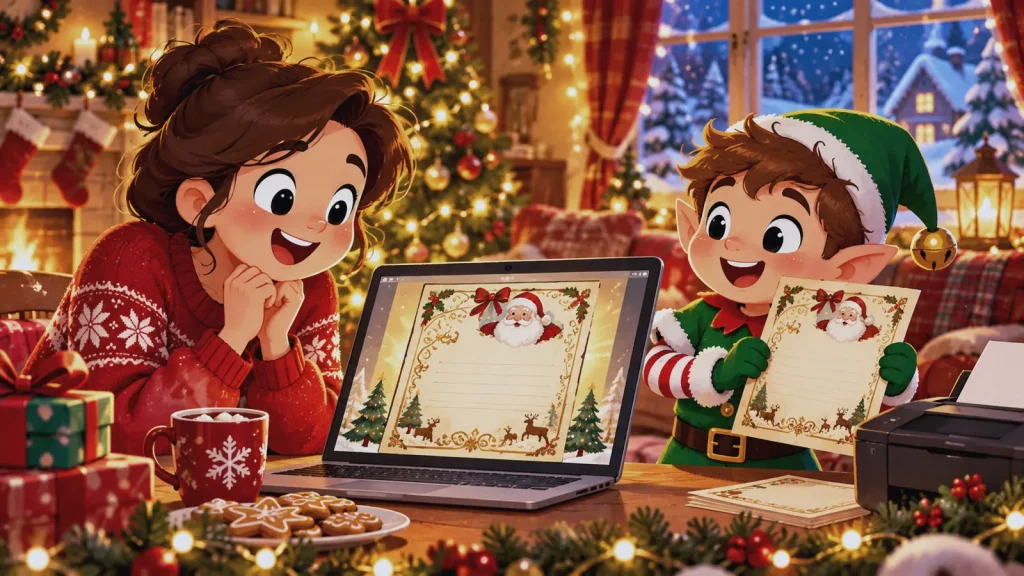
A Santa letter can look beautiful and still contain one detail that gives the game away. A misspelled nickname, an outdated wish, or the wrong sibling reference matters more than foil, paper weight, or an elaborate seal. That is why parents often look for a Santa letter service with preview.
The word “preview” is not a standard feature with one meaning. It may refer to a sample letter, a summary of the details entered, an editable on-screen design, or a full proof sent before printing. Each version catches different problems. Before choosing a service, find out what appears in the preview and when changes stop being possible.
Key Takeaway: The most useful preview is the one that shows the exact personalized wording before production begins. A detail summary can catch entry errors, but it cannot confirm the final sentences, spacing, or layout. Treat preview depth and the editing cutoff as two separate buying questions.
A Santa Letter Service With Preview Should Define the Checkpoint
“Preview available” sounds reassuring, but it does not tell you where the checkpoint sits in the order process. A sample shown before personalization proves only that the design exists. A field summary confirms what you entered. A full proof shows how those details were turned into the finished letter.
Use this comparison before relying on the label:
| Preview type | What you can check | What remains unknown |
| Generic sample | Design, tone, and broad format | Your child’s details and final wording |
| Entry summary | Name, wishes, package, and other submitted fields | How those fields appear in the letter |
| Editable live preview | Text and layout that update on screen | Whether production uses the approved version |
| Full proof before production | Personalized wording, spelling, placement, and design | Postal delivery and arrival date |
| Copy sent after production | What was produced | Whether a correction is still possible |
The fourth option offers the broadest check, while the second can still catch important entry errors.
Who Gets the Most Value From a Preview
Preview depth matters most when the letter includes several children, an unusual spelling, a household nickname, a detailed achievement, or a wish that changes during the season. Grandparents and other gift-givers may also need the extra check because they do not always know which detail is current.
Preview Timing Matters as Much as Preview Depth
A proof is valuable only while the seller can still act on it. Payment is not necessarily the cutoff. Some made-to-order sellers collect payment, prepare a proof, and begin production after approval. Other products move into production as soon as the order is placed.
Current marketplace listings show why buyers must read the individual process. One personalized Santa product says a first proof can take up to one week and that approval confirms the design is ready for print. Another editable Santa-letter listing includes limited revision rounds before the final file is delivered. These are seller-specific terms, not Etsy-wide promises. Etsy’s own guidance also separates a seller’s processing time from carrier transit time, so a proofing delay can affect the ship date before the postal journey begins. Review the live listing and the platform’s processing-time guidance before ordering.
Ask the seller one plain question: “What is the last point at which I can correct the personalized wording?” A useful answer names the event, such as proof approval or the start of printing. “Contact us as soon as possible” is less helpful because it does not define the cutoff.
What the Current Santa’s Magical Kingdom Preview Shows
The current Letters from Santa form includes a preview panel. On the public form reviewed in August 2026, that panel summarizes the child’s name, wishes, selected package, and add-on. It helps a parent confirm several important inputs before submission.
The public panel does not display the full personalized letter wording. It should therefore be treated as a detail summary rather than a full production proof. If seeing every sentence before printing is essential, confirm directly whether a separate full proof is available and when edits become locked. That distinction keeps the call to action accurate without asking the preview to promise more than it shows.
The form also collects details such as age, location, favorite activity, a proud moment, behavior notes, and an optional surprise message. Those inputs deserve a separate review before submission, even when the visible summary is shorter. The personalized letter wording bank can help you simplify a detail that feels awkward or too specific.
A Two-Pass Santa Letter Preview Checklist
Reading a preview once from top to bottom is not the best way to catch familiar errors. Use two short passes with different jobs.
Pass one: verify the facts.
- Read the child’s name and nickname aloud.
- Check every pronoun and relationship label.
- Confirm the age, location, achievement, and current wish.
- Check that a friend’s or sibling’s detail belongs to the correct child.
- Confirm the chosen format, package, and delivery address.
Pass two: test the experience.
- Read the letter as the child will hear it, not as the person who entered the form.
- Flag promises Santa may not be able to keep, especially gifts or a family member’s return date.
- Look for repeated language if more than one child will receive a letter.
- Check whether the wording sounds warm and specific without revealing private family details.
- Confirm that the closing and signature fit the design rather than being cut off or crowded.
Why Sibling Letters Need Side-by-Side Review
Review each child’s factual details first, then compare the two letters. A copied achievement or swapped wish can survive an individual read because each sentence still looks plausible. Side-by-side review exposes it quickly.
Next, compare the opening sentence, the main praise, and the sign-off. They do not need to be completely different, but each child should be able to point to something that belongs only to them. If the service offers only a field summary, vary the input details deliberately. The guide to what a personalized Santa letter should include helps identify which fields carry the most meaning.
What a Santa Letter Preview Cannot Verify
A content preview does not confirm that the envelope will arrive by a particular date. It cannot show whether the seller’s production queue is running late, whether standard mail will be delayed, or whether the package will receive the postmark you expect. Those questions belong to the delivery terms.
The preview also cannot replace a privacy check. Before entering a home address and information about a child, review which fields are required, why the seller needs them, and what the privacy policy says. The home-address safety guide covers data minimization without turning a simple purchase into a false all-or-nothing privacy test.
Finally, a perfect proof cannot rescue an order placed too late. If the production and mailing window is tight, use the last-minute Santa letter options to compare a mailed letter with a printable or email-delivered version.
How to Handle an Error After Ordering
Contact the seller promptly, but make the message easy to act on. Put the order number first, then quote the incorrect text and the exact replacement. Ask whether production has started and whether the correction changes the expected delivery date.
Do not assume an edit is available simply because a proof exists. A seller may limit revisions, charge for later changes, or lock the order after approval. Confirm those rules before purchase. If a reprint is no longer practical, ask whether a corrected digital copy is available, without assuming the seller provides one.
Choose the Level of Control You Actually Need
A buyer who wants a polished design and has simple personalization may be well served by a clear entry summary. A parent managing unusual spelling, sibling differentiation, or a sensitive message should look for the exact personalized wording before production. Someone ordering in the final days may value an editable download more than a seller-managed proofing cycle.
When using the Letters from Santa order form, review every field and the visible summary before submitting. If a full-letter proof or later editing is a requirement, confirm that capability and its cutoff directly. The useful question is not “Does this service have a preview?” It is “What can I see, and can it still be changed?”
FAQ
What is a Santa letter service with preview?
It is a service that lets the buyer review some part of the letter or order before production or delivery. Because “preview” can mean a sample, entry summary, editable design, or full proof, check exactly what the service displays.
What is the difference between a preview and a proof?
A preview often appears during ordering, while a proof is commonly sent after purchase for approval. The labels are not standardized, so the meaningful details are what you can review and whether approval occurs before printing.
Does a preview show the complete personalized letter?
Not always. Some previews show only entered details or a generic design, while others show every personalized sentence and the finished layout. Ask for a full proof if wording and placement must be checked together.
When should I approve a Santa letter proof?
Approve it after checking facts, wording, layout, format, and delivery details. Respond promptly because production may not begin until approval, but do not rush past an error merely to save a few hours.
Can a preview prevent every Santa letter mistake?
No. It can reduce content and layout errors, but it cannot guarantee postal arrival, production timing, or a seller’s adherence to the approved version. Keep the proof and review the delivery terms separately.
What should I check first in a Santa letter preview?
Start with the child’s name, nickname, pronouns, and current wish. Then check relationships, achievements, package selection, address, and any sentence that sounds like a promise.
Is a full proof worth paying extra for?
It can be worthwhile when the letter includes unusual spelling, several custom facts, sensitive wording, or multiple siblings. For a short letter with simple fields, a reliable summary or editable template may provide enough control.
How should I compare previews for siblings?
Open the letters together and verify that each fact belongs to the right child. Then compare the opening, main praise, wish reference, and closing so the letters do not feel like the same script with swapped names.
Can I change a Santa letter after approving the proof?
That depends on the seller’s production rules. Approval often triggers printing or final file preparation, so confirm the editing cutoff and any revision fee before approving.
Does previewing a letter delay delivery?
It can. A seller-managed proof may add preparation and response time before mailing, while a live editable preview may add little or no delay. Include the proofing window when judging the final order date.
What does Santa’s Magical Kingdom show in its preview?
The public order form reviewed in August 2026 shows a summary of the child’s name, wishes, package, and add-on. It does not publicly show the complete letter text, so buyers who require a full proof should confirm availability before ordering.
What should I do before submitting the order?
Read every personalized field aloud, compare sibling entries if relevant, and save the approved version when possible. Then confirm the edit cutoff and delivery method so the content check is matched by a realistic timeline.